
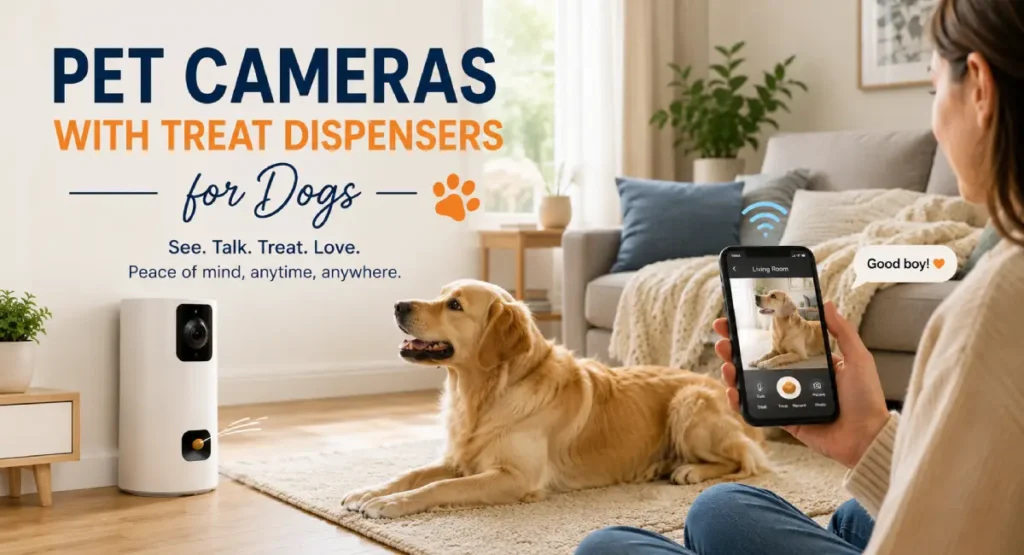
Leaving your dog alone at home isn’t as easy as it sounds. You constantly check the clock, wondering what he’s doing, and there’s a slight fear of returning home and finding chewed skirting boards. A decent dog camera treat dispenser can alleviate this stress significantly. You can see what your dog is doing from anywhere, talk to him, and even toss a treat.
At Dogfoodsuk, we’ve spent months testing the best pet cameras available in the UK. Some cameras are genuinely useful. Some are just overpriced gimmicks with terrible apps. This guide covers the cameras that are actually worth your money, as well as everything you need to know about choosing, setting up, and making the most of a pet camera.
Whether you’re commuting to work, running errands, or just want to check on your dog from the pub, there’s a camera to fit your situation and budget.
Why pet cameras matter for dog owners
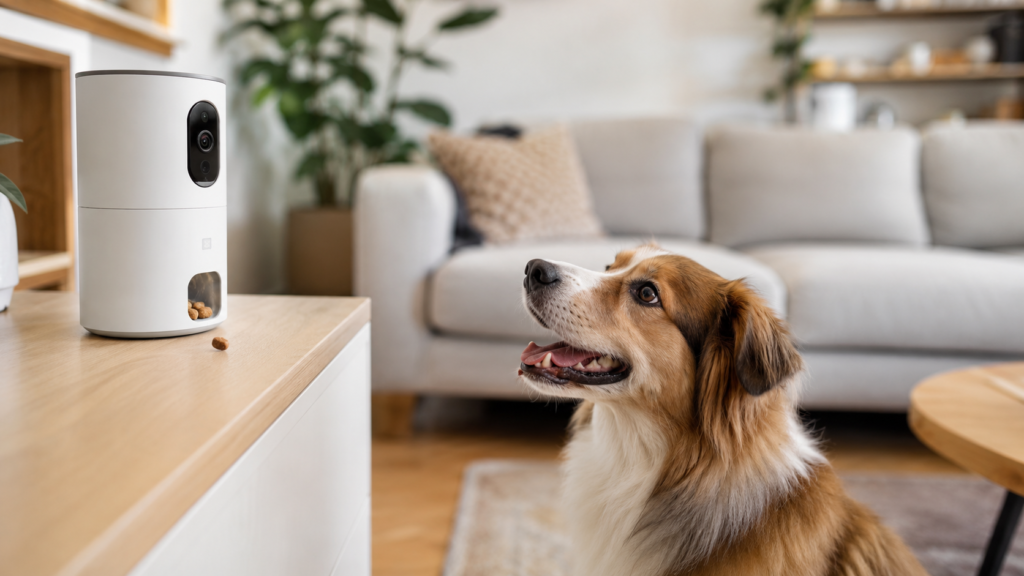
Separation anxiety in dogs is more common than most people think. According to PDSA estimates, around 8 in 10 dogs show some signs of distress when left alone. This can range from mild pacing and whining to serious panic, where the dog may destroy furniture or injure itself.
A pet camera gives you eyes and ears even when you’re not home. You can spot early signs of anxiety, such as panting, lip licking, or circling, and intervene before the situation escalates. Talking to the dog with two-way audio or triggering a treat toss can be very helpful. The dog hears your voice, gets a reward, and sometimes calms down again.
The Blue Cross recommends structured leaving routines and gradual desensitization for anxious dogs. A camera helps monitor this process properly. You can see if the training is working or if the dog is still struggling after the door is closed.
There are also practical reasons. Maybe your dog has a medical condition and you want to check if he’s okay. Maybe you have a puppy and want to confirm he hasn’t eaten anything dangerous. Maybe you just miss him. All are valid reasons.
The RSPCA says that monitoring a dog’s behavior alone is part of responsible ownership. Problems you can’t see are difficult to fix. A camera gives you a clear view of what’s actually happening at home.
How pet cameras with treat dispensers work
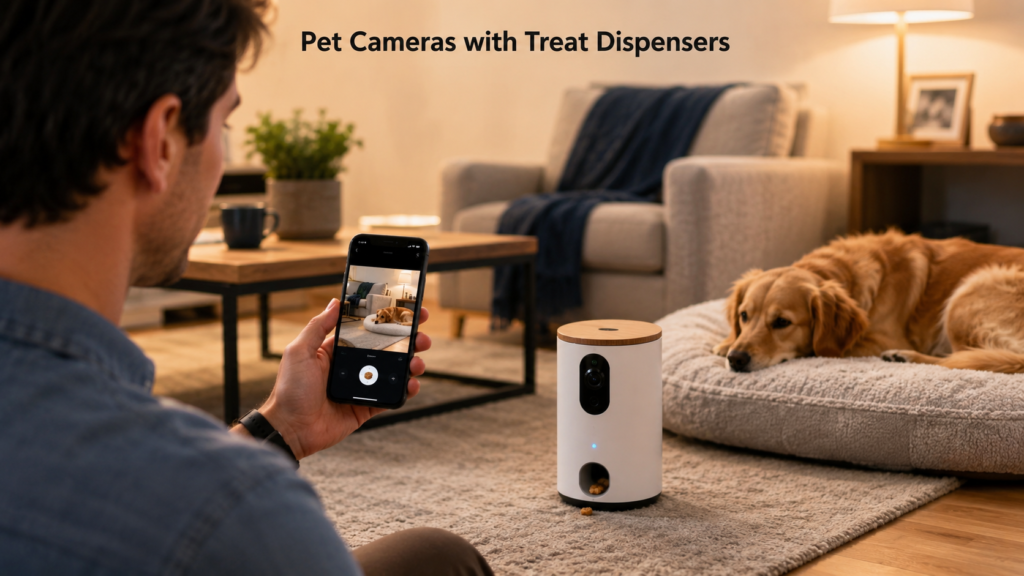
Basic setup is simple. The camera is placed in your home and connected to WiFi. You download the manufacturer’s app to your phone, connect the camera, and then receive a live video feed of your dog. The treat dispenser part is a small hopper or compartment that holds dry treats. When you tap a button in the app, the camera flings or drops the treat onto the floor.
Most cameras record footage to the cloud or a local SD card. Cloud storage usually requires a subscription. SD card storage is typically free, but is limited by card size. Both options let you scroll back recordings in case something happens while you’re away.
Two-way audio is now standard on almost every pet camera. A built-in microphone picks up your dog’s barks, whines, or general activity. A speaker lets you talk back. Quality varies widely between brands. Some cameras deliver a clear and natural sound. Some make your voice sound like it’s being broadcast from a swimming pool.
Motion detection triggers alerts on your phone when the camera spots movement. Some cameras distinguish between a dog’s movement and a curtain’s movement. Some send notifications for every shadow shift. The smarter the detection, the fewer useless alerts you get.
Video quality, night vision, and two-way audio explained
Video resolution is the first thing most people check, and honestly, that’s correct. 1080p Full HD should be the minimum. Lower resolutions than this look grainy on phone screens, and you can’t clearly see what your dog is actually doing. Some newer models offer 2K or even 4K resolution, which makes details appear sharper, especially when you zoom in.
Night vision is also very important. Dogs sleep a lot during the day, and in the winter months, your dog may be alone in a dark room until 4 PM. Infrared night vision helps with seeing even in complete darkness, usually in black and white. Some cameras offer color night vision, but it requires some ambient light in the room. Color night vision is nice, but infrared is more reliable in truly dark rooms.
Field of view determines how much area of the room the camera can cover. A narrow field of view means blind spots. A wider angle covers more space. 160 degrees is about average for pet cameras. Some cameras, like the Furbo 360, rotate and provide a full 360-degree view, which almost eliminates blind spots.
Two-way audio quality depends on the microphone and speaker hardware. Cheaper cameras can have echoey and distorted sound, which can startle the dog rather than reassure it. Better cameras have noise-canceling microphones and clear speakers, making your voice sound reasonably natural. If you plan to use the audio feature regularly, it’s better to prioritize this over fancy video resolution.
Privacy considerations for UK pet camera owners
Any camera that records video and audio in your home may fall under UK data protection law. The ICO, or Information Commissioner’s Office, classifies domestic CCTV as personal data processing, even if you’re just using it to watch your dog. This may sound a bit serious, but the practical side is quite simple.
If your camera only films inside your home and the footage remains on your personal device, the rules are relaxed. You’re using it as a household user, not a business. But if the camera captures footage of the outside world, such as a neighbor’s garden or street, you have some responsibilities. You need to make sure people know the camera is there, and if they are visible in the footage, they have the right to ask for a copy.
Cloud storage adds another layer. When your footage is stored on another company’s servers, you are sharing data with a third party. So, be sure to check the privacy policy of any camera you buy. See where the servers are located, how long the footage is stored, and who has access to it. Reputable companies clearly state this. If a brand makes its privacy policy difficult to find, it’s a red flag.
Keep the camera’s firmware updated. Manufacturers release security patches that fix vulnerabilities. An unpatched camera can be a gateway for hackers, and pet cameras have been exploited in the past. Change the default password immediately after setting up the camera. Use a strong and unique password that you don’t use for any other account.
Position the camera so that it covers your dog’s area but doesn’t film unnecessary things. Point it at the living room floor, not out the window. This way you stay on the right side of the law and also avoid awkward conversations with neighbors.
The best pet cameras with treat dispensers available in the UK
Furbo 360 Dog Camera
Best for: Owners who want the best all-round pet camera and are willing to pay for it. The 360-degree rotation is genuinely useful if your dog roams.
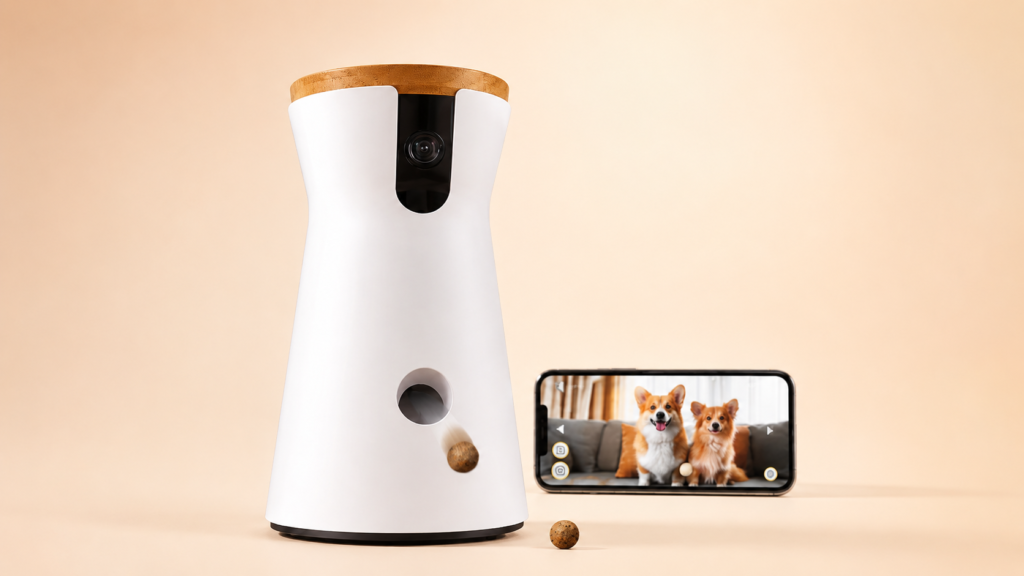
The Furbo 360 is the upgraded version of the original Furbo, and the rotation makes a bigger difference than you would expect. Instead of pointing at one spot and hoping your dog stays there, the camera spins to follow your dog around the room. You control it by swiping on your phone screen, which feels natural and responsive.
Video quality is sharp at 1080p with a wide 160-degree field of view. Night vision is clear in infrared. The treat tosser works reliably and flings treats a decent distance, which gets your dog’s attention even if they are across the room. Furbo recommends their own treats for best results, but most small dry treats work fine.
The app sends smart alerts that can tell the difference between your dog and a person. It also detects barking and lets you set up auto-treat tossing, so the camera rewards quiet behaviour automatically. This is genuinely useful for training and for managing mild separation anxiety.
![Furbo 360° Dog Camera & Mini Pet Camera [SUBSCRIPTION REQUIRED] –...](https://m.media-amazon.com/images/I/41uadx092NL._AC_.jpg "Best Pet Cameras with Treat Dispensers for Dogs (UK Review)")
What to consider: The Furbo 360 costs more than most competitors. Cloud recording requires a Furbo subscription, which starts at a few pounds per month but adds up over time. Without the subscription, you still get live viewing and treat tossing, but you lose cloud recording and some alert features.
Which dogs: Best for dogs that move around the house rather than sleeping in one spot. Works well for anxious dogs because of the barking detection and auto-treat features. The treat size limit means it suits small to medium treats rather than large biscuits.
Cons: Expensive upfront and the subscription adds to the cost. Only works with 2.4GHz WiFi, so if your router broadcasts on 5GHz you need to make sure the camera connects to the right band. The treat hopper holds roughly 50 small treats, which sounds like a lot but runs out quickly if you use the auto-toss feature.
Furbo Dog Camera (original)
Best for: Owners who want the Furbo experience without the premium price tag. A solid camera if your dog tends to stay in one room.
The original Furbo lacks the 360-degree rotation but keeps everything else that makes the brand popular. Same 1080p video, same treat tossing mechanism, same barking alerts, same two-way audio. The only real difference is that it points in one fixed direction.
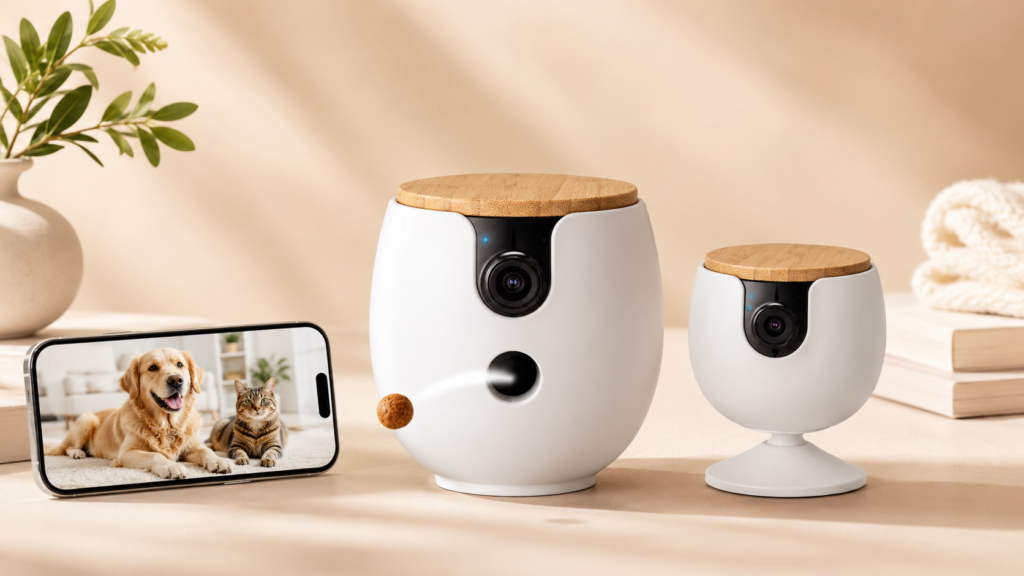
If your dog has a favourite spot, like a bed in the corner of the living room, a fixed camera works perfectly well. You point it at the bed and check in whenever you want. The treat tosser still fires treats a good distance, and the app experience is identical to the 360 version.

The original Furbo has been around long enough to build a strong track record. Thousands of UK dog owners use it daily, and the app has been refined over several years of updates. That reliability counts for something, especially compared to cheaper brands that rush out buggy software.
What to consider: The lack of rotation means blind spots. If your dog wanders into the kitchen or another room, you lose sight of them. You will need to position the camera carefully to maximise the coverage area.
Which dogs: Dogs that settle in one spot when left alone. Senior dogs and dogs that sleep most of the day are perfect candidates. Less suitable for puppies or active dogs that roam the house.
Cons: No rotation, which is the main selling point of the newer model. Same subscription requirement for cloud features. Same 2.4GHz WiFi limitation. At the price point, some competitors offer more features.
Eufy Pet Dog Camera D605
Best for: Owners who prioritise video quality and want a camera from a trusted tech brand with a reputation for reliability.
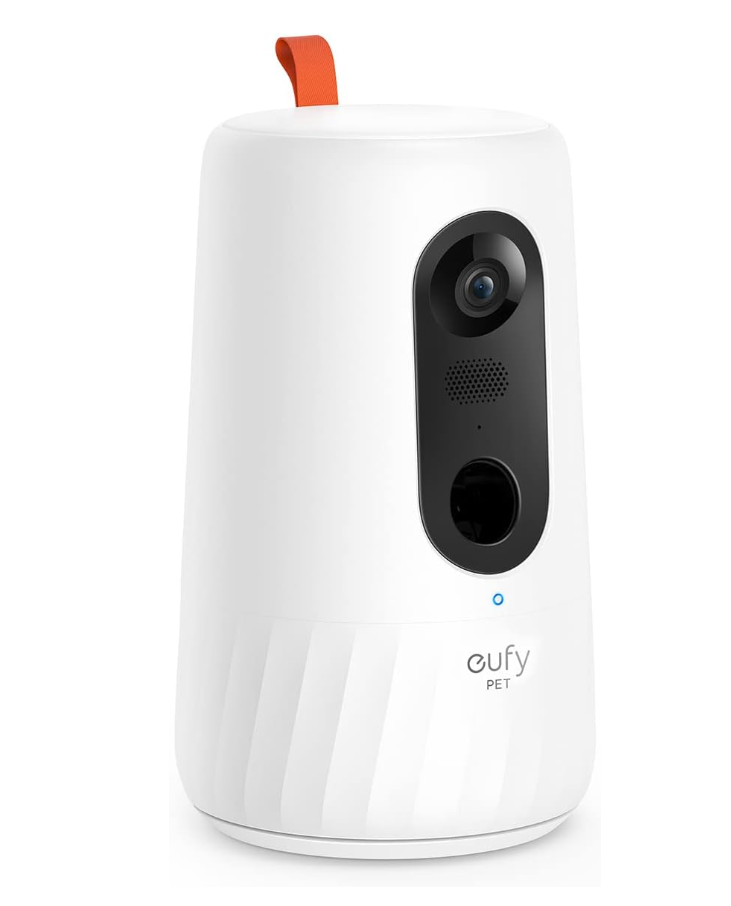
Eufy is Anker’s smart home brand, and the D605 shows that pedigree. Video quality is excellent, with 1080p resolution that looks noticeably sharper than some competitors on the same spec. The 170-degree field of view is wider than most, covering more of your room from a single position.
The treat dispenser uses a different mechanism to the Furbo. Instead of flinging treats, the Eufy slides them down a ramp. This is quieter and less startling for nervous dogs, but the treats land closer to the camera. If your dog is on the other side of the room, they might not notice the treat dropping.
Two-way audio is clear on both ends. The microphone picks up your dog’s sounds without too much background noise, and the speaker reproduces your voice accurately enough that your dog recognises it. Night vision is decent, though not quite as clean as the Furbo’s infrared mode.
Eufy does not charge a subscription for basic features. Local storage via SD card is free, and the camera works without any ongoing payments. This is a big advantage if you resent paying monthly fees for a device you have already bought.
What to consider: The app is functional rather than pleasant. It works, but it lacks the polish of the Furbo app. Motion detection can be a bit too sensitive, sending alerts for things like sunlight moving across the wall. You may need to tweak the sensitivity settings.
Which dogs: Dogs that are not spooked by mechanical noises. The sliding dispenser mechanism is gentler than a tossing action, which suits anxious dogs. Good for single-dog households because the treat capacity is modest.
Cons: Treats land close to the camera rather than being flung across the room. The app experience is behind Furbo’s. No auto-treat scheduling. The treat hopper is smaller than the Furbo’s.
Petcube Play 2
Best for: Owners who want both a treat dispenser and a laser toy to keep their dog entertained while they are out.
The Petcube Play 2 is the only camera on this list that combines treat dispensing with a built-in laser pointer. You control the laser from the app, dragging your finger across the screen to move the dot around the room. Dogs go absolutely mad for it. Some dogs will chase the laser until they are exhausted, which is either brilliant or problematic depending on your perspective.
Video quality is sharp at 1080p with a 160-degree field of view. The camera has 2K resolution capabilities if you want extra detail, though most owners find 1080p perfectly adequate. Night vision is reliable. Two-way audio is clear with minimal lag.
The treat dispenser works well enough, though the mechanism is less exciting than the Furbo’s tossing action. Treats drop from a slot at the bottom of the camera. Reliable, but not as fun for your dog. The hopper holds around 100 treats, which is generous.
Petcube offers a subscription service called Petcube Care that adds cloud recording, extended video history, and vet consultations. The vet feature is interesting if you want quick advice without booking a full appointment, though it is not a replacement for a proper physical examination.
What to consider: The laser pointer is the headline feature, but some animal behaviourists warn that laser chasing can cause frustration and obsessive behaviour in certain dogs. If your dog already shows signs of obsessive tendencies, use the laser sparingly or skip it entirely. The Blue Cross has written about the potential downsides of laser play in dogs.
Which dogs: Active dogs that need extra entertainment. Good for breeds with high prey drive that love chasing things. Less suitable for dogs that get frustrated when they cannot catch what they are chasing.
Cons: The laser feature could encourage obsessive behaviour in some dogs. Treat dispensing is less dramatic than the Furbo. The camera itself is quite bulky compared to competitors. Subscription needed for full features.
SKYMEE Owl Robot
Best for: Owners on a tighter budget who want treat tossing and movement controls without paying Furbo prices.
The SKYMEE Owl Robot is an unusual looking device. It is less of a traditional camera and more of a small wheeled robot with a camera mounted on top. The wheels let you drive it around your home from the app, which is genuinely entertaining and useful if your dog moves between rooms.
The treat tossing mechanism flings treats in a similar way to the Furbo, though with slightly less accuracy. You can aim it by adjusting the angle, and most of the time the treat lands somewhere in the right area. Close enough for a dog, frankly. They will find it.
Video quality is acceptable at 1080p, though not as refined as the Eufy or Furbo. Night vision works in a pinch. Two-way audio is adequate. The app is functional but not particularly polished, with occasional lag when driving the robot or tossing treats.
The real selling point is the price. The SKYMEE Owl Robot costs significantly less than the Furbo 360 while offering similar movement capability. If you want to drive around and toss treats without spending two hundred pounds, this is your best option.
What to consider: The wheels need flat, hard floors to work properly. It struggles on thick carpets and cannot climb over doorsteps or cables. If your home has thick rugs or raised thresholds between rooms, the robot will get stuck.
Which dogs: Dogs that are curious about moving objects. The robot itself can become a source of entertainment, with some dogs following it around the house. Less suitable for dogs that are frightened by unfamiliar objects.
Cons: Build quality is noticeably cheaper than premium brands. The app can be laggy. Wheels do not work well on carpet. Treat tossing is less precise. No cloud recording option, relies on SD card storage only.
WOPET Dog Camera with Treat Dispenser
Best for: Owners who want the cheapest possible option that still delivers basic treat tossing and video monitoring.
The WOPET dog camera is the budget pick of this list. It does everything you need, just not as well as the more expensive options. 1080p video, night vision, two-way audio, and a treat dispenser, all at a fraction of the price of a Furbo. For some owners, that trade-off is perfectly acceptable.
The treat dispenser is simple and functional. It drops treats from the bottom of the camera rather than tossing them, so the treats land directly below the device. This works fine if your dog is nearby but will not get the attention of a dog across the room. The hopper capacity is reasonable for a few sessions of treat tossing.
Video quality is acceptable for the price. Daytime footage is clear enough to see what your dog is doing. Night vision is grainier than premium cameras but still usable. Two-way audio works, though the speaker quality is tinny and your voice may not sound entirely natural to your dog.
Setting up the WOPET is straightforward. Download the app, connect to your WiFi, and you are live within ten minutes. The app is basic but easy to navigate. Motion detection sends alerts to your phone, though it is not particularly smart about distinguishing between your dog and other movement.
What to consider: This is a budget product and it shows. The plastic feels cheaper, the app has fewer features, and the overall experience is less refined. If you only need to check on your dog occasionally and toss a treat now and then, that might not matter. If you plan to use the camera daily, the limitations will probably irritate you.
Which dogs: Dogs that stay in one area and do not need premium features. Good for a second camera in a different room where you just want basic monitoring. Suitable for owners who want to try a pet camera before committing to a more expensive model.
Cons: Lower build quality. Treats drop rather than toss. No smart alerts or bark detection. App is basic with limited customisation. No cloud storage option, SD card only. Customer support can be slow to respond.

How to choose the right dog camera treat dispenser
Picking the right camera comes down to what matters most to you and your dog. Budget is the obvious starting point. The WOPET and SKYMEE options cover the basics under a hundred pounds. The Furbo and Eufy sit in the premium bracket, where you pay more for better video, smarter software, and more reliable treat dispensing.
Think about where the camera will live. If your dog stays in one room, a fixed camera like the original Furbo or the WOPET works fine. If they move around, you either need a camera with rotation like the Furbo 360, or a mobile robot like the SKYMEE. Field of view matters too. A wider angle covers more space from a single position.
Consider how you plan to use the treat feature. Occasional treat tossing to reassure your dog is different from using treats as a training tool throughout the day. If you plan to toss treats frequently, look at hopper capacity and the convenience of refilling it. A camera that holds 50 treats and runs out by lunchtime is frustrating if you are out until 6pm.
App quality is easy to overlook but it determines your daily experience. You will use the app every time you check on your dog. A clunky, slow app makes the whole product feel cheap regardless of how good the hardware is. Read recent app reviews before buying, not just hardware reviews. Software updates can improve or ruin the experience over time.
WiFi requirements vary by camera. Most pet cameras only support 2.4GHz WiFi, which has better range through walls but slower speeds. Some newer models support dual-band WiFi. Check your router settings before buying, because a 5GHz-only router will not work with a 2.4GHz-only camera.
If your dog has separation anxiety and you plan to use the camera as part of a management plan, look at smart alert features. Bark detection and auto-treat dispensing, like the Furbo offers, are genuinely useful for this. A camera that simply records video without smart alerts means you have to watch constantly to catch problems.
Think about whether you also need an automatic feeding solution. Some owners pair a pet camera with a separate automatic dog feeder for complete remote care. Cameras handle the monitoring and interaction. Feeders handle the meals. Together they cover most of what your dog needs while you are out.
Setting up your pet camera
Placement is the most important decision you will make. The camera needs a clear view of the area where your dog spends most of their time. Eye level or slightly above works best, because it gives you a natural perspective of your dog rather than a bird’s eye view of their back. A shelf or side table is usually ideal.
Keep the camera close enough to your router for a strong WiFi signal. Thick walls and distance kill WiFi, and a camera that keeps dropping connection is useless. If your router is downstairs and your dog’s area is upstairs, consider a WiFi extender. They cost twenty pounds and solve a lot of problems.
Set up the camera while you are home with your dog. Let them investigate it. Most dogs will sniff the camera a few times and then ignore it. If your dog is nervous about new objects, place the camera nearby but not directly in their space for the first few days. Gradually move it closer once they seem comfortable.
Test the treat dispenser with your dog present. Watch how they react to the sound of the mechanism. Some dogs bolt the first time a treat gets flung at them. Others run straight towards the camera looking for more. If your dog is startled, toss treats from further away at first until they associate the sound with something positive.
Adjust motion sensitivity once the camera has been running for a day or two. Most cameras let you set the detection sensitivity. Too high and you get alerts every time the heating clicks on. Too low and you miss your dog moving around. Find the sweet spot that catches your dog’s movement without flooding your phone with false alerts.
Check that night vision works by viewing the camera feed after dark. If the image is too dark, the camera might be too close to a wall or positioned at an angle that limits the infrared range. Adjust until you get a clear picture of the sleeping area.
Using cameras to reduce separation anxiety
A pet camera is not a cure for separation anxiety on its own, but it is a useful tool as part of a broader plan. The key is using it to reinforce calm behaviour rather than accidentally rewarding anxiety.
When you first leave the house, resist the urge to immediately open the app and talk to your dog. Hearing your voice without being able to reach you can make some dogs more anxious, not less. Wait five or ten minutes before checking in. If your dog has settled, great. If they are pacing or whining, a calm voice and a treat toss might help them settle, but keep it brief.
Use treats strategically. If your dog is quiet and relaxed, toss a treat to reinforce that calm state. If your dog is barking or panicking, do not toss a treat because you risk rewarding the anxious behaviour. The timing matters. Reward the calm, ignore the panic. This is basic training principles applied through technology.
Some cameras let you set up automatic treat dispensing on a schedule. This can work well for dogs with mild anxiety because the treats give them something positive to associate with being alone. Set the schedule for shortly after you leave, and perhaps once or twice more during the day. Do not overdo it or the treats lose their value.
Use the camera footage to track progress. If you are working on a desensitisation programme with a behaviourist, the camera lets you see exactly what happens after you leave. You can share recordings with your vet or behaviourist, which gives them much better information than your verbal description of what you think happens.
Pair the camera with other dog anxiety relief methods for the best results. Puzzle feeders, calming diffusers, a worn t-shirt that smells like you, and background noise like a radio or TV can all contribute to a calmer environment. The camera monitors the overall effect and lets you adjust your approach based on what the footage shows.
Be patient. Separation anxiety does not resolve in a week. Most behaviourists say it takes months of consistent work. The camera helps you see whether you are moving in the right direction, even when progress feels painfully slow.
Where to buy pet cameras in the UK
Amazon UK stocks all the cameras in this guide and usually at competitive prices. Delivery with Prime is fast, and the returns policy gives you a safety net if a camera does not work out. Customer reviews on Amazon are worth reading, particularly the recent ones and the ones that include photos or video, because they give you a realistic idea of what to expect.
Currys and John Lewis stock the Eufy range if you prefer to buy from a high-street retailer. Being able to see the product in person helps some owners decide, and both shops have solid return policies. Pet-specific retailers like Pets at Home sometimes carry the Furbo and Petcube ranges, though stock varies by location.
Direct from the manufacturer is another option. Furbo, Petcube, and Eufy all sell through their own websites. Buying direct sometimes gets you exclusive colours or bundle deals that are not available elsewhere. Check all three options before committing to a purchase, because prices fluctuate.
Do not buy unbranded pet cameras from marketplace sellers you have never heard of. They are tempting because they cost next to nothing, but the software is often terrible, the apps are barely functional, and there is no guarantee of security updates. Your camera is connected to your home network. A cheap camera with no security patching is a risk you should not take.
Final thoughts
A dog camera treat dispenser is one of those purchases that seems like a luxury until you have one. Then it becomes part of your daily routine. Checking in on your dog, tossing a treat, hearing them crunch it on the microphone. It is a small thing that makes a real difference to how you feel about leaving them.
For most UK dog owners, the Furbo 360 is the best overall choice. The rotation covers the room, the app is polished, and the smart alerts add genuine value. If your dog stays in one spot and you want to save money, the original Furbo or the Eufy D605 are strong alternatives. For tight budgets, the WOPET gets the job done.
Whatever camera you choose, remember that it is a tool, not a solution. It helps you monitor, reassure, and reward your dog. The actual work of managing separation anxiety, building confidence, and keeping your dog happy takes more than a piece of tech. Food, exercise, training, and your own time and attention still matter more than anything a camera can offer.
For more advice on feeding, caring for, and understanding your dog, explore the guides at dogfoodsuk.com.
Frequently asked questions
Can a pet camera help with separation anxiety?
Yes, but as part of a broader approach. A camera lets you monitor your dog’s behaviour, intervene with your voice or a treat when appropriate, and track progress over time. It works best when combined with proper desensitisation training, environmental adjustments, and guidance from a qualified behaviourist.
Do pet cameras work without WiFi?
No. Pet cameras require a WiFi connection to send the live video feed to your phone. Without WiFi, the camera cannot communicate with the app. If your home WiFi drops out while you are away, you lose the feed until it reconnects. Some cameras store footage locally on an SD card, so you can review recordings later even if the connection drops temporarily.
How many treats do pet cameras hold?
It varies by model. The Furbo holds roughly 50 to 100 small treats depending on their size. The Eufy holds fewer. The WOPET holds a similar amount to the Furbo. If you plan to toss treats throughout the day, check the hopper capacity and refill it before you go out. Running out of treats mid-day defeats the purpose.
Are pet cameras safe from hackers?
Reputable brands take security seriously and release regular firmware updates. The main risk comes from using weak passwords or ignoring updates. Change the default password immediately, use a strong unique password, and install firmware updates when they are available. Budget cameras from unknown brands are more risky because they may not receive security patches at all.
Can my dog hear me through the camera?
Yes. All the cameras in this guide have two-way audio. Your dog can hear you through the camera’s speaker, and you can hear them through the microphone. Audio quality varies, so your voice may sound slightly different through some cameras. Test it while you are home so you can see how your dog reacts before relying on it when you are out.
Do I need a subscription for my pet camera?
Not always. Most cameras work for live viewing, treat tossing, and two-way audio without a subscription. Cloud recording, extended video history, and advanced alert features usually require a paid subscription. If you just want to check on your dog live and toss treats, you can avoid subscriptions entirely. If you want to record and review footage, expect to pay a few pounds per month.
Will the camera noise scare my dog?
Possibly, the first time. The mechanical sound of a treat dispenser firing is unfamiliar and some dogs startle. Most get used to it quickly, especially once they realise the noise means a treat is coming. Introduce the camera while you are home and toss a few treats so your dog associates the sound with something positive before you leave them alone with it.
Can I use a pet camera for a puppy?
Absolutely. Puppy owners might benefit more than anyone else. Puppies get into trouble fast, and being able to check on them remotely prevents all sorts of mishaps. You can see if they are chewing something dangerous, respond to whining, and monitor their behaviour during toilet training. The treat feature helps reinforce good behaviour from a distance, which is useful during early training.
How long do pet cameras last?
A good quality pet camera from a reputable brand should last three to five years with normal use. The mechanical parts, particularly the treat dispenser, are the most likely components to wear out. Firmware updates keep the software current, but eventually manufacturers stop supporting older models. Budget cameras may have shorter lifespans, especially if the app stops receiving updates.
Can I use human treats in the dispenser?
Only if they are safe for dogs. Many human foods are toxic to dogs, including chocolate, raisins, grapes, anything containing xylitol, and foods with onions or garlic. Stick to dog-safe treats to be safe. Small dry treats work best in dispensers because they flow through the mechanism without jamming. Soft or sticky treats can clog the hopper.